Discover the steps to effortlessly change your password and improve the security of your account.
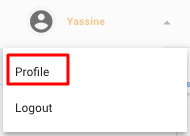
Go to your profile settings by clicking your account name in the top right corner.
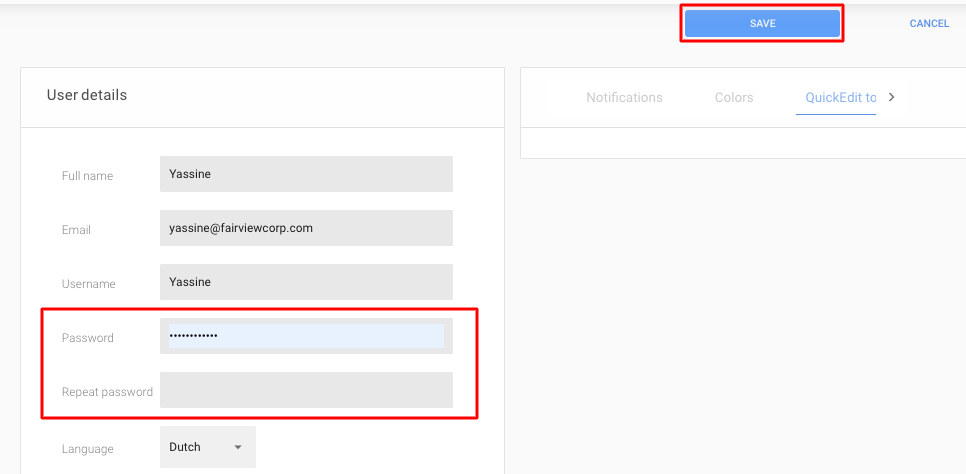
In the “Password” field, enter a new password. In the “Repeat Password” field below, enter the same password again. Click “Save” in the top right corner to save the changes.