Support Center » how do i reset my password when i forgot it
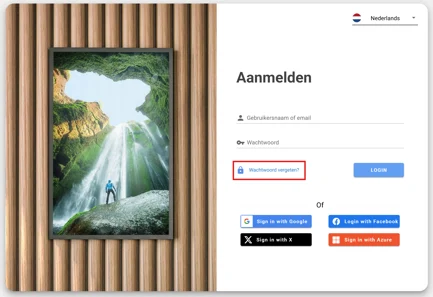
Click on the forgot my password field on the login page:
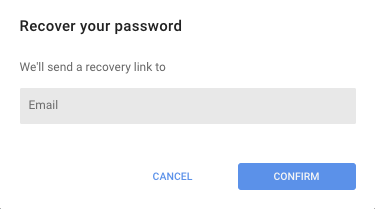
A pop up will appear. Fill in your email address (that is connected to your account) and select confirm:
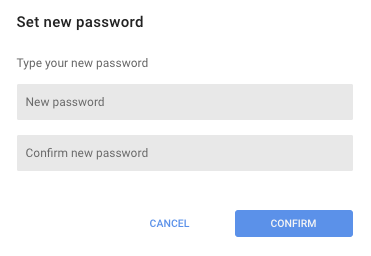
You will receive an email in your inbox with the reset link. Once you have clicked on this link a pop up will appear on the screen:
Fill in your new password and confirm this new password. You are finished now and can login with your new password.