Subuser Bundles

As a subuser, you are responsible for the content of the bundle. You add fragments and keep the bundle up to date. The main user takes care of the rest: reviewing, scheduling, and displaying the content on the screens. Together, you ensure that relevant and up-to-date content is displayed on the screens.

What is a subuser bundle?

A subuser bundle is a bundle in which you, as a subuser, can add fragments. The bundle itself is managed by the main user.

This means:

  • You add content
  • The main user reviews and schedules the content

What can you do as a subuser?

As a subuser, you can:

  • Add fragments to a bundle
  • Remove fragments (if permitted)
  • Manage your own content within the bundle

You cannot modify playlists or change bundle settings. These tasks are handled by the main user.

Step 1: Go to Bundles

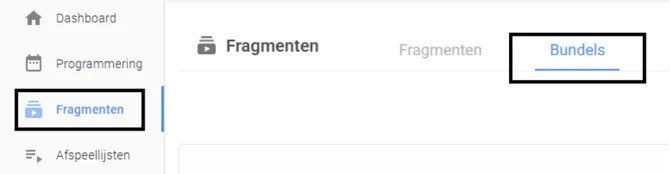
  1. In the left-hand menu, go to Fragments
  2. Click the Bundles tab

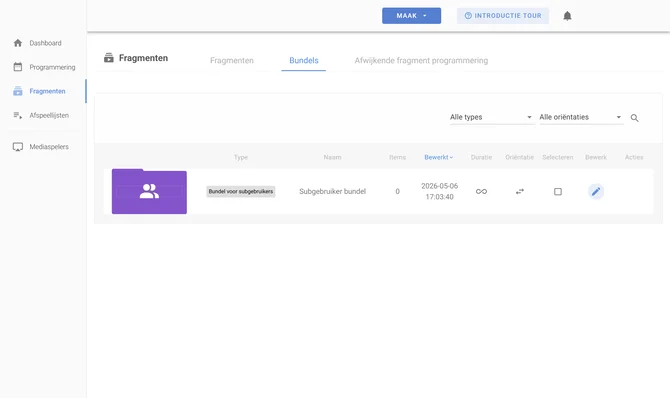
Step 2: Open a subuser bundle

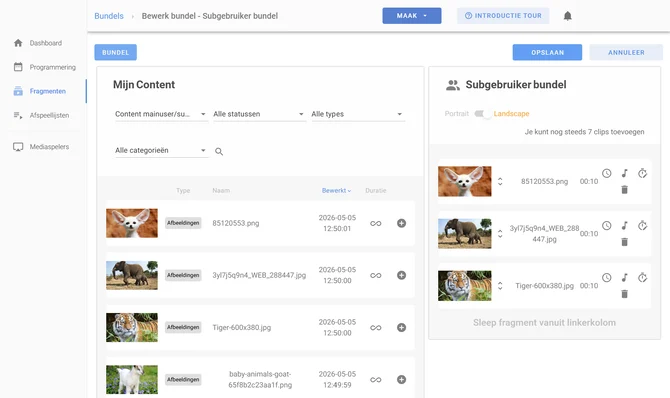
  1. Select the bundle to which you want to add fragments
  2. Click Edit

Step 3: Add fragments

  1. Click Add fragment
  2. Select one or more fragments from your library

Important to know

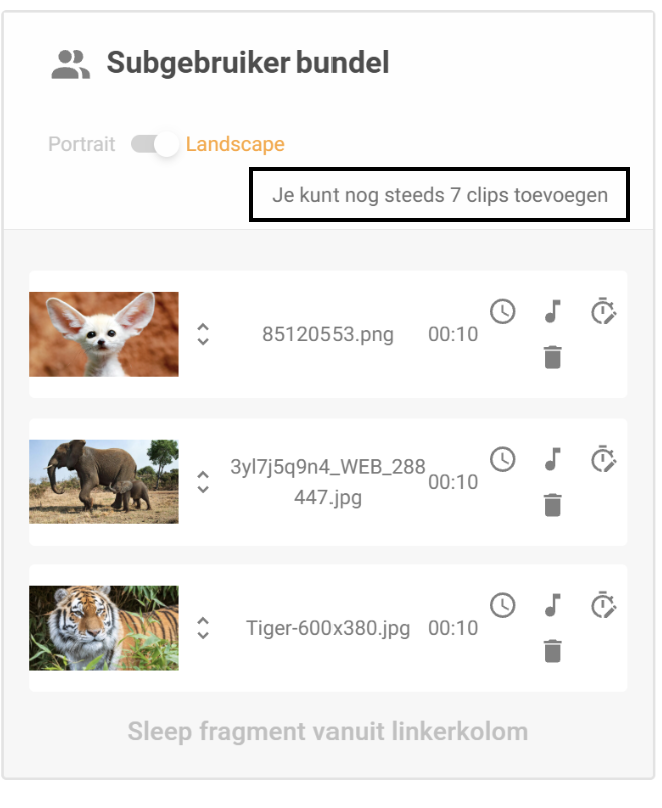
  • The main user determines the maximum number of fragments you can add
  • If the bundle is full, you must first remove a fragment before you can add a new one

You may see a limit, for example, 10 fragments.

Step 4: Save

Click Save to apply your changes.

What happens next?

After you have added fragments:

  • The main user reviews the content
  • The main user determines when and how often the fragments are played
  • The fragments are then displayed on the screens
Scroll to Top