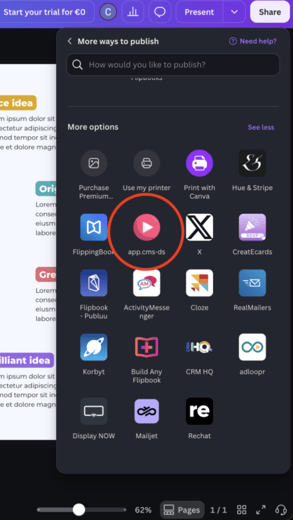
Step 1 find the share button
- Click on the “Share” button on the top right
- Press the “See all” button on the bottom right
- Scroll all the way down and press on “See all” next to the “More options”
- Look for and press the pink play button with the title of app.cms-ds
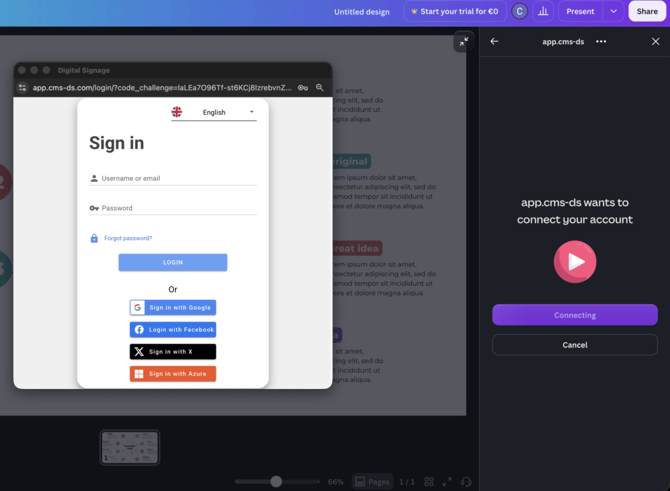
Step 2 login
After opening the app you will need to login into your account in order to export your designs. To do this press the login button and enter your login details in the pop up that shows up.
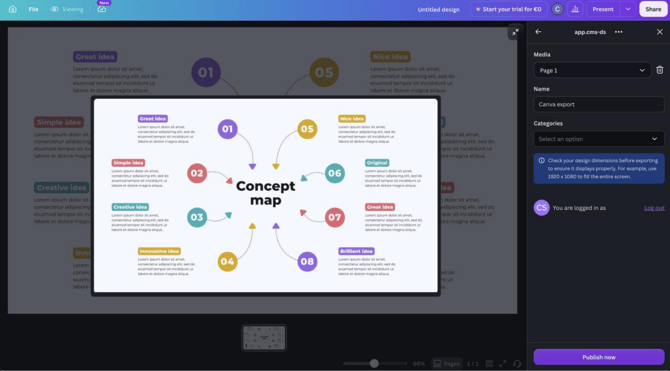
Step 3 export your design
When your design is ready to be exported, you can click on “add image” or “add video” to setup a new export. You will be able to select which page within your design you want to export. You will also be able to give it the name with which the export will showin your media library. If you have categories configured in your account, you can also add your media to a category prior to exporting.
When you are ready, you can press “Publish now” and Canva will send your beautiful design over to your media library. Please wait until the loading bar is finished before exiting the window.